Posted by Lakesen Guo on
FREQUENTLY ASKED QUESTIONS FOR RASFOX RCA to HDMI CONVERTER
- What devices is the Rasfox converter box compatible with?
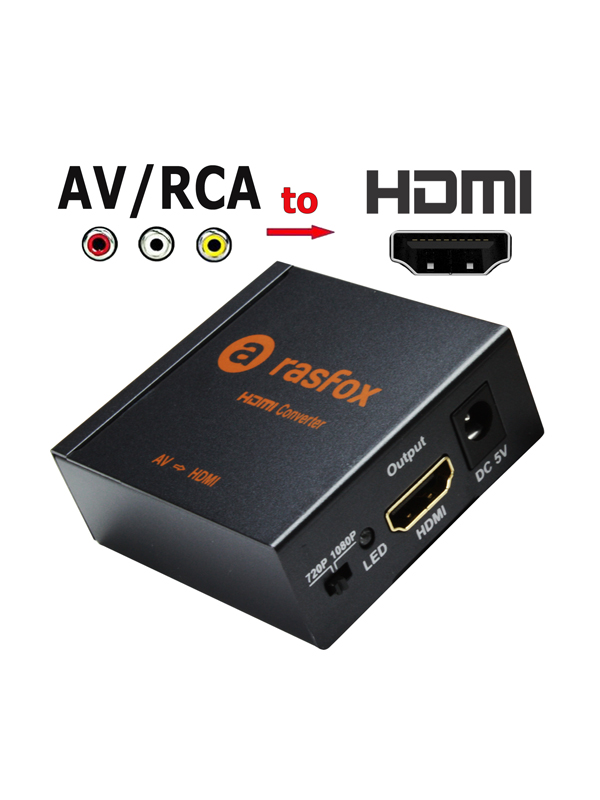
This converter work well with any classic media devices with RCA output only. Such as older Camcorders, older VHS player, Super Nintendo, Nintendo N64, Sega Genesis and many more.
- Who will need this converter?
Anybody who has an older media device, such as VHS player, Super Nintendo, Sega Genesis, Camcorder, that still works well but only support RCA output. If you have a modern HDTV, they most likely only support HDMI input, and then you need this converter to connect with your HDTV.
- Why isn’t my converter working?
Our converters have been extensively tested and work well. It is solid constructed with a metal case and well packed for shipping, ensuring the product you receive should be of high quality. If you have any problems, there are some common issues that you should double-check:
1) Please make sure you have the correct converter needed for your project, please reference ours blog
HDMI TO AV CONVERTER OR AV TO HDMI CONVERTER, WHICH ONE IS RIGHT FOR ME?
.
2) The converter MUST have power to function. Please be sure plug the power adapter in and make sure the power adapter is working well. (You can test the power adapter by unplugging the HDMI cable from the converter and plugging only the power adapter in. If the LED indicator is red, the power adapter is working well, otherwise the power adapter is not working and you need to contact with us to get a replacement).
3) Your TV MUST is on the proper input. Generally, you must use your TV remote to change inputs until you get to the right one. Typically, the remote has a button labeled source or input, but this varies by TV and we do not maintain instructions for individual TVs.
4) Make sure that the red/white/yellow cables working well and run from the converter into the red/white/yellow OUTPUTS on your older source devices.
5) Check to make sure your HDMI cable is securely connected to the converter and TV.
If you continue to have problems, please contact us by email: contact@lakesen.com. We are always happy to help.
- I connected the converter, video is OK. but it is no sound come out?
It sounds like a cable is not secure or is not connected to the correct input on your media source. Please check your cables at both ends and also remove and reset each of the 6 ends of the cable (3 on each end). Make sure plug your red/white audio cables in correct red/white jack on your media source, and unplug power to everything and let it reboot. If it still does it could be a bad audio jack. Maybe try on another media source to see if it’s the converter or others.
- I want to connect dvd /karaoke to a 2160p samsung tv but this converter is 1080p only. Will this work?
You may be able to hook this product up to your tv with no issues. However, the image sharpness will be far less than what you are expecting for a 4k tv to display.
- Does it keep the original ratio? Will it turn a 4:3 video game into 16:9
No, 4:3 will stay 4:3. You get black bars on the side of a 16:9 television. But you can change your TV setting to full size.
 Rasfox